GitHub 自身に画像を置く道具を作りました
GitHub に画像を置きたい、でも第三者公開ホストには上げたくない。repo の可視性に従う user-attachments に、ログイン済みブラウザを借りてドロップする小さな道具 gh img を作りました。三つの引き算という設計と、再現に要るコード(スクリプト全文・設定ファイル・導入手順)を全部置きます。
· GeneralD
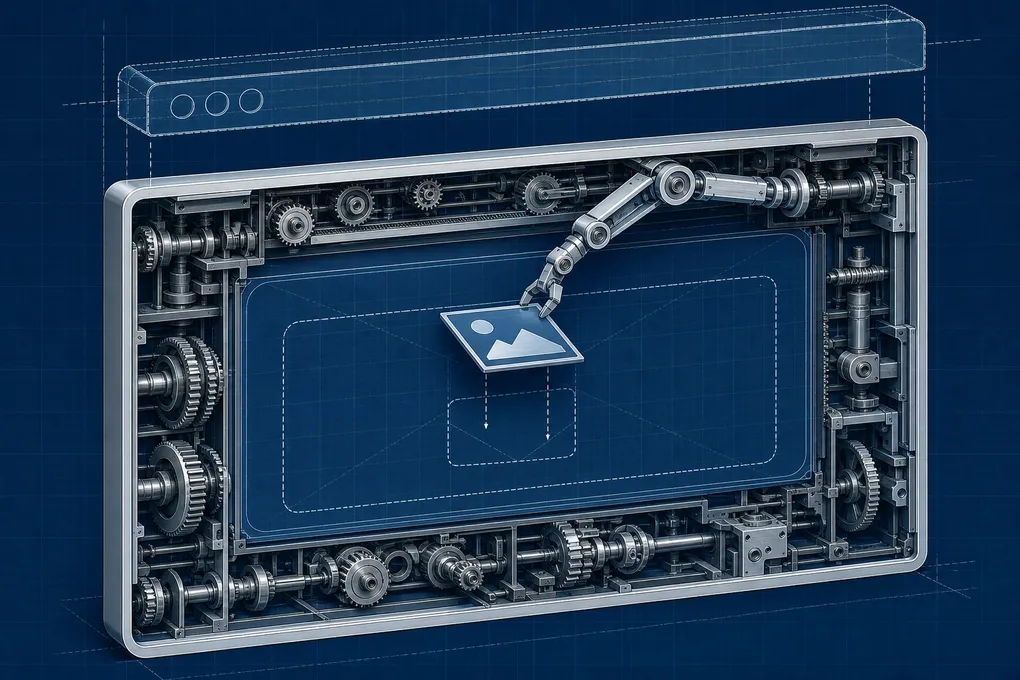
GitHub のコメントやレビュー本文に、画像を一枚置きたいときがあります。スクショ、図、生成した一枚。<img> で貼れさえすればいいので、まずはどこかに画像を置いて URL を得る必要があります。
ここで、ひとつだけ譲れない線がありました。imgur のような第三者の公開ホストには、絶対に上げたくない。一度公開ホストに乗った画像は、消しても消えません。索引され、キャッシュされ、手元から取り消せなくなる。だから「どこに置くか」を、URL を取りに行く前に決めておきたかった。
いちばんきれいな置き場所は、GitHub 自身だった
調べてみて腑に落ちたのは、GitHub には自前の添付ストアがある、という一点でした。コメント欄に画像をドロップすると挿し込まれる、あの https://github.com/user-attachments/assets/... です。
これが心地よいのは、その画像が repo の可視性に従う からです。private repo の issue や PR に貼った添付は、その repo を見られる人にしか見えません。実際、ログインしていない状態で private repo の添付 URL を叩くと 404 が返ります。つまり user-attachments は、第三者の公開ホストではない。GitHub という、もともとその中身が置かれている場所の中に、置いたものが収まるだけ。譲れなかった線を、いちばん自然にまたぐ置き場所でした。
問題は、ここに置くための公式 API が見当たらないことでした。アップの実体は POST /upload/policies/assets という経路なのですが、これは web の UI 専用で、Personal Access Token を付けて叩くと 422 が返ってきます。user_session の cookie と CSRF トークンが要る。手元の gh api からは、素直には届きません。
なら、ログイン済みのブラウザに置いてもらう
API が無いなら、UI にやってもらえばいい。すでに GitHub にログインしているブラウザを一つ用意して、そのコメント欄に画像をドロップさせる。GitHub がアップを済ませて URL を挿し込んでくれたら、その URL だけ読み取って、コメントは送らずに帰る。
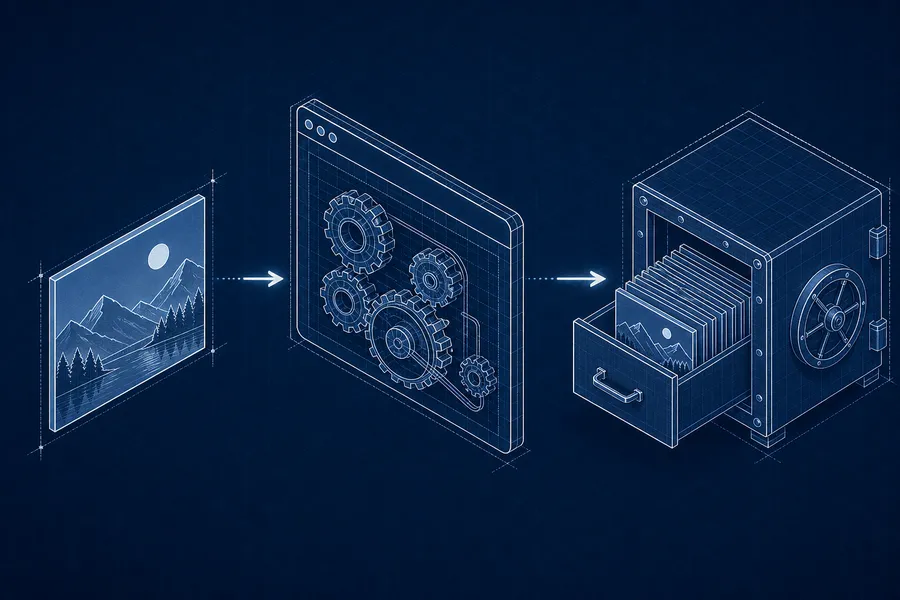
それだけをする小さな道具を gh img という名前で gh のエイリアスに置きました。中身は、playwright-cli で headless の Chromium を一つ起動して、ページを開き、コメント欄を見つけ、画像をドロップし、挿し込まれた URL を拾って閉じる、というだけのシェルスクリプトです。
# 一度だけ、対話的にログイン(headed なブラウザが開く)
gh img --login

# 以後はこれだけ。URL が標準出力に返る
gh img ./shot.png https://github.com/owner/repo/issues/123
gh img ./shot.png owner/repo   # その repo の新規 issue 作成画面で代用
これは前に書いた もじえもじ と地続きの話でもあります。あちらは「GitHub に動く文字を置く」道具で、絵文字が主役でした。こちらは「GitHub に画像を置く」道具で、ファイルが主役です。置きたいものが違うだけで、向いている方向は同じでした。
主役は、引き算の三つ
書いてみて分かったのは、この道具の難しさは「どう動かすか」ではなく「借りたブラウザの手を、どう綺麗に扱うか」にある、という一点でした。ログイン済みのセッションは、それ自体がアカウントとほぼ等価な機密です。その手を借りる以上、足し算ではなく、要らないものを引いておくほうが効きます。手元では、三つ引きました。
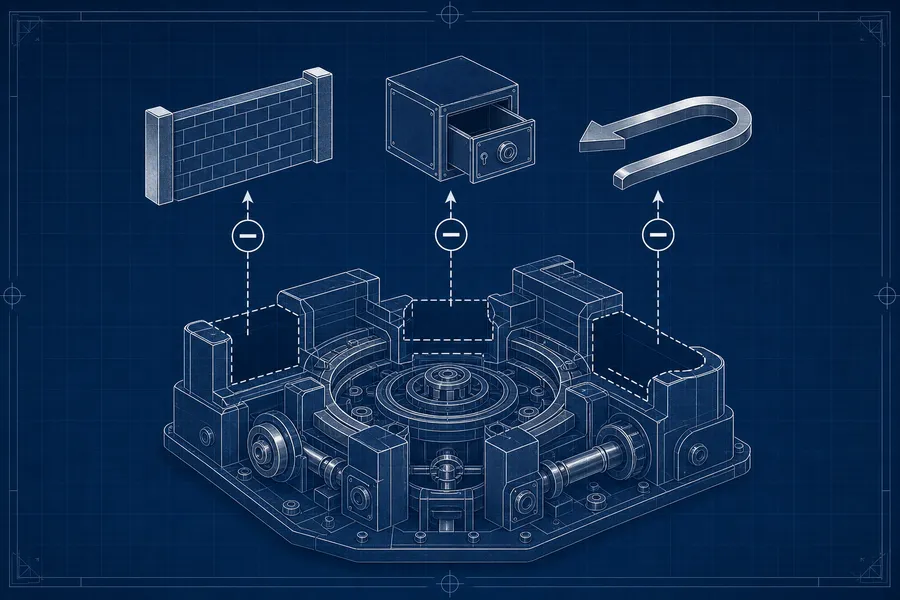
一つめ。防壁は一行に絞る
画像は、ロードされたページのコメント欄に無条件でドロップされます。ログイン確認も、ページが制御している meta[name=user-login] を読むだけ。つまり、開いてしまったページがもし悪意あるものなら、確認をすり抜けてローカルファイルがそのページに渡りうる。
だから防壁は一箇所しか置けません。ページを 開く前 に、行き先のホストを検証すること。
case "$target" in
    https://github.com/*) page_url="$target" ;;
    http://*|https://*)   die "target host must be github.com: $target" 2 ;;
    */*)                  page_url="https://github.com/${target}/issues/new" ;;
    *)                    die "target must be a github.com issue/PR URL or owner/repo" 2 ;;
esac効いているのは、受理パターンの末尾にある一本のスラッシュでした。https://github.com/ まで含めて一致を見ると、github.com.evil.com や github.com@evil.com のような見た目の似たホストが弾かれます。ドロップ自体はファイルアクセス制限の管轄外なので、ここで一行ぶん丁寧にホストを見ることが、唯一の守りになります。足せる防壁は他にいくらでも思いつきますが、要るのはこの一行でした。
二つめ。機密は、XDG の正しい棚へ
借りたセッションの cookie は、どこに置くかで意味が変わります。XDG Base Directory の棚分けに沿って、種類ごとに置き場所を分けました。
| 置くもの | 棚 | 権限 |
|---|---|---|
| ログイン cookie(アカウント相当の機密) | $XDG_STATE_HOME/gh-img/userdata | 0700 |
| ブラウザ選択の設定 | $XDG_CONFIG_HOME/playwright-cli/cli.config.json | 0600 |
| 一時的なスナップショット置き場 | $XDG_CACHE_HOME/gh-img | — |
機密は state、設定は config、使い捨ては cache。これは仕様に沿った普遍則です。
その上で、もう一段だけ手元で足した固有則がありました。cookie profile のパスを cwd に依存させず固定する ことです。これは playwright の都合に見えますが、「借りたセッションの保管場所を、実行する場所から切り離しておく」という、もう少し広い一般則の一例でもありました。
export PLAYWRIGHT_MCP_USER_DATA_DIR="${PLAYWRIGHT_MCP_USER_DATA_DIR:-${XDG_STATE_HOME:-$HOME/.local/state}/gh-img/userdata}"playwright は persistent profile を、起動した作業ディレクトリのハッシュでキーにします。固定しないと、あるディレクトリで済ませたログインが、スクリプトが scratch ディレクトリに移って動くときには見えなくなる。一度動かして、ログインしたはずなのに「ログインしていない」と言われて、ようやく腑に落ちた挙動でした。固定したパスは、cwd がどこであっても同じ棚を指します。
三つめ。送らずに帰る、という抑制
これがいちばん地味で、いちばん要る引き算でした。URL を読み取ったら、コメント欄に書きかけた下書きを破棄して、ブラウザを閉じる。何も投稿しない。道具は URL を取りに来ただけだからです。
cleanup() { pw close >/dev/null 2>&1; rm -rf "$scratch/.playwright-cli"; }
trap cleanup EXIT INT TERM
trap を EXIT INT TERM のどれにも掛けてあるので、ポーリングの途中で Ctrl-C を押しても、ブラウザのデーモンだけは閉じます。閉じるのはブラウザで、cookie profile は残す。次に呼んだときに、また --login させずに済むようにです。「閉じるけれど消さない」「読むけれど送らない」。借りた手を返すときの作法は、結局この抑制に尽きていました。
道具はこれで全部
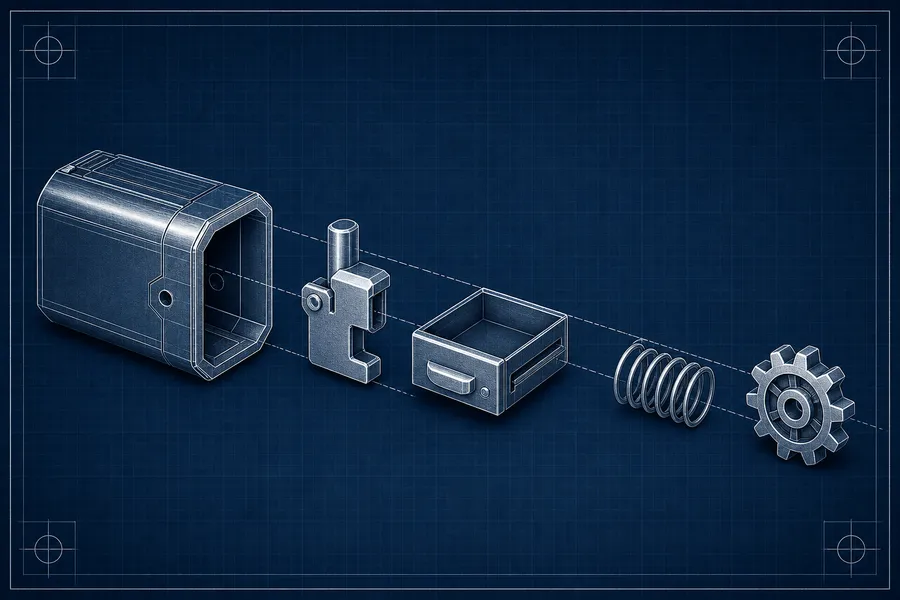
引いていったら、残ったのはこの一枚でした。借りた手を綺麗に返すための仕掛けは、結局このスクリプトに収まります。~/.config/gh/bin/gh-img に置いて、gh の config から img という名前で呼んでいるだけです。パスはすべて $HOME と $XDG_* で書いてあるので、別の機械にそのまま持っていっても動きます。
設計の話をするなら、本当は全文こそ宝です。さっきの三つの引き算は、この一枚のどこに効いているか。畳んでしまうと、読者が手元で同じ環境を起こすための起点が消えます。だから折りたたまず、ここにそのまま置きます。180 行、コピペでそのまま動く一枚です。
#!/usr/bin/env bash
#
# gh-img: upload an image to GitHub user-attachments and print its URL.
#
# Usage:
#   gh img <image> <issue-or-pr-url>    # upload; prints the user-attachments URL
#   gh img <image> <owner/repo>         # same, via that repo's new-issue composer
#   gh img --login [url]                # one-time interactive (headed) login
#
# Drives a persistent, authenticated headless Chromium (via playwright-cli) to
# drop the image onto a real comment composer on the given page, then reads the
# https://github.com/user-attachments/assets/<uuid> URL that GitHub inserts —
# WITHOUT submitting any comment. The asset inherits the visibility of the repo
# whose composer it is dropped on, so private-repo uploads stay auth-gated. This
# is GitHub's OWN storage, not a third-party public host.
#
# Why a real browser and not raw HTTP: the upload-policy endpoint
# (POST /upload/policies/assets) is web-UI only — a PAT returns 422; it needs the
# user_session cookie + CSRF token. Letting the live composer perform the upload
# lets the browser mint/send the correct token; we just read back the URL. If an
# official upload API ever ships, migrate this to "gh api" and drop playwright.
#
# Why a config file (not the PLAYWRIGHT_MCP_BROWSER env var) selects the browser:
# the "chromium" channel keeps the persistent login profile, whereas
# PLAYWRIGHT_MCP_BROWSER=chromium resolves to chrome-for-testing, which uses a
# DIFFERENT cookie store and silently drops the login. So browser selection is
# the one setting that genuinely needs the config file; everything else is env.
#
# Requires:
#   - playwright-cli (brew install playwright-cli)
#   - a Chromium under PLAYWRIGHT_BROWSERS_PATH (playwright-cli install-browser chromium)
#   - the "gh img" alias (shipped in this repo's gh/config.yml); or call by path
# Session cookies live in a dedicated profile under XDG_STATE_HOME (see
# PLAYWRIGHT_MCP_USER_DATA_DIR below); they are account-equivalent secrets —
# never committed, 0700. Run "gh img --login" once per machine. Single-run tool:
# a fixed session/scratch means do not invoke it concurrently with itself (a
# second run's close would kill the first's browser).

set -u
set -o pipefail

session="ghimg"

# Keep playwright XDG-clean even when invoked from a context lacking the env vars.
export PLAYWRIGHT_DAEMON_SESSION_DIR="${PLAYWRIGHT_DAEMON_SESSION_DIR:-${XDG_STATE_HOME:-$HOME/.local/state}/playwright-cli}"
export PLAYWRIGHT_BROWSERS_PATH="${PLAYWRIGHT_BROWSERS_PATH:-${XDG_DATA_HOME:-$HOME/.local/share}/ms-playwright}"
# Pin the login cookie store to a fixed, cwd-independent path (a dedicated gh-img
# profile). Without this, playwright keys the persistent profile by the workspace
# (cwd) hash, so a login done from one directory would be invisible when the
# script later runs from its scratch dir. STATE tier; account-equivalent secret.
export PLAYWRIGHT_MCP_USER_DATA_DIR="${PLAYWRIGHT_MCP_USER_DATA_DIR:-${XDG_STATE_HOME:-$HOME/.local/state}/gh-img/userdata}"
mkdir -p "$PLAYWRIGHT_MCP_USER_DATA_DIR" 2>/dev/null && chmod 700 "$PLAYWRIGHT_MCP_USER_DATA_DIR" 2>/dev/null

# Browser-selection config — kept in XDG_CONFIG_HOME (never $HOME), self-created
# so the script is portable to a fresh machine. Referenced via --config because
# its name isn't the cwd-walk default (.playwright/cli.config.json).
pw_config="${XDG_CONFIG_HOME:-$HOME/.config}/playwright-cli/cli.config.json"
# Contain playwright's per-call ".playwright-cli/" snapshot dir so it never lands
# in the caller's cwd (e.g. a git repo). Cache dir, outside any repo.
scratch="${XDG_CACHE_HOME:-$HOME/.cache}/gh-img"

pw() { playwright-cli -s="$session" "$@"; }
die() { printf 'gh-img: %s\n' "$1" >&2; exit "${2:-1}"; }
# Read one scalar value from a --raw eval (value is always the last output line).
pweval() { pw --raw eval "$1" 2>/dev/null | tail -1; }
# Closes the browser (keeps the persistent cookie profile) and clears snapshots.
# Wired to EXIT/INT/TERM so a Ctrl-C mid-poll never leaks the browser daemon.
cleanup() { pw close >/dev/null 2>&1; rm -rf "$scratch/.playwright-cli"; }

# GitHub has two composer shapes and no single attribute covers both:
#  1. The new-issue React body editor advertises "Markdown" via its aria-label
#     ("Markdown value") or placeholder ("Use Markdown to format your comment").
#  2. The classic issue/PR *comment* box (conversation pages, incl. merged/closed
#     PRs) advertises Markdown NOWHERE — its placeholder is a bare " " — but it
#     carries the stable id="new_comment_field". The owner/repo route only ever
#     hits shape 1, so shape 2 went unnoticed until an image was dropped onto a
#     PR/issue URL directly (then: "no comment composer found", exit 4).
# Match on either signal. The drop CSS selector below mirrors this exact set with
# the same first-in-DOM-order pick, so drop and poll always target the SAME
# element (the hidden survey "feedback" and inline-diff "comment[body]" textareas
# advertise none of these signals and are excluded).
finder="[...document.querySelectorAll('textarea')].find(x => /Markdown/i.test(x.placeholder||'') || /Markdown/i.test(x.getAttribute('aria-label')||'') || x.id === 'new_comment_field')"

command -v playwright-cli >/dev/null 2>&1 || die "playwright-cli not found (brew install playwright-cli)" 127

ensure_config() {
    [ -f "$pw_config" ] && return 0
    mkdir -p "$(dirname "$pw_config")" || return 1
    printf '%s\n' '{ "browser": { "browserName": "chromium", "launchOptions": { "channel": "chromium", "headless": true } } }' > "$pw_config"
    chmod 600 "$pw_config"
}

# --- login mode -------------------------------------------------------------
if [ "${1:-}" = "--login" ]; then
    url="${2:-https://github.com/login}"
    ensure_config || die "could not write $pw_config" 1
    mkdir -p "$scratch"; cd "$scratch" || die "cannot enter scratch dir $scratch" 1
    trap cleanup EXIT INT TERM
    pw open --persistent --headed --config "$pw_config" "$url" || die "could not open browser" 1
    printf 'gh-img: a browser window is open. Log in to GitHub (incl. 2FA), then press Enter here... ' >&2
    read -r _
    printf 'gh-img: session saved.\n' >&2
    exit 0
fi

# --- argument parsing -------------------------------------------------------
image="${1:-}"
target="${2:-}"
{ [ -n "$image" ] && [ -n "$target" ]; } || die "usage: gh img <image> <issue-or-pr-url>  |  gh img --login" 2
[ -f "$image" ] || die "image not found: $image" 2

# resolve absolute image path (relative to caller's cwd, BEFORE we cd to scratch)
img_dir=$(cd "$(dirname "$image")" 2>/dev/null && pwd) || die "cannot resolve directory of: $image" 2
abs_image="$img_dir/$(basename "$image")"

# normalize target: a github.com URL as-is, or owner/repo -> that repo's new-issue
# page. Reject every non-github host: the image is dropped onto whatever page
# loads, and the auth check only reads a page-controlled meta[name=user-login], so
# an untrusted URL carrying that meta + a "Markdown" textarea could receive the
# local file via the drop. Uploads are only meaningful on github.com
# (user-attachments), so gate on host BEFORE opening the page. The leading-slash
# in the accept pattern also rejects look-alikes (github.com.evil.com, github.com@evil.com).
case "$target" in
    https://github.com/*) page_url="$target" ;;
    http://*|https://*)   die "target host must be github.com: $target" 2 ;;
    */*)                  page_url="https://github.com/${target}/issues/new" ;;
    *)                    die "target must be a github.com issue/PR URL or owner/repo: $target" 2 ;;
esac

ensure_config || die "could not write $pw_config" 1
mkdir -p "$scratch"; cd "$scratch" || die "cannot enter scratch dir $scratch" 1
trap cleanup EXIT INT TERM

# --- open + auth check (retry: a slow load must not read as logged-out) ------
pw open --persistent --config "$pw_config" "$page_url" >/dev/null 2>&1 || die "could not open $page_url" 1

login=""
for _ in 1 2 3 4 5 6 7 8 9 10; do
    login=$(pweval "() => (document.querySelector('meta[name=user-login]') || {}).content || ''" | tr -d '"')
    [ -n "$login" ] && break
    sleep 1
done
[ -n "$login" ] || die "not logged in (or session expired) — run: gh img --login" 3

# --- wait for the composer to hydrate (React) -------------------------------
ready=""
for _ in 1 2 3 4 5 6 7 8 9 10; do
    [ "$(pweval "() => ($finder) ? '1' : ''" | tr -d '"')" = "1" ] && { ready=1; break; }
    sleep 1
done
[ -n "$ready" ] || die "no comment composer found on $page_url" 4

# --- drop the image onto the composer (selector mirrors $finder: Markdown
#     placeholder/aria-label OR id="new_comment_field", first-in-DOM-order) ---
# Note: "drop --path" reads the local file in playwright-cli's own Node process
# and hands it to the page as a synthesized DataTransfer — it is NOT gated by the
# allowUnrestrictedFileAccess config flag (that flag gates the @playwright/mcp
# server's browser_file_upload tool, a different mechanism). So $abs_image may
# live anywhere the caller can read, including outside this script's scratch cwd —
# which is exactly why the github.com host gate above (not a workspace boundary)
# is what protects against an untrusted target page receiving the file.
pw drop 'textarea[placeholder*="Markdown" i], textarea[aria-label*="Markdown" i], textarea#new_comment_field' --path "$abs_image" >/dev/null 2>&1 || die "drop onto composer failed" 5

# --- poll the composer for the inserted user-attachments URL ----------------
# Rely on the timeout, not a substring heuristic: GitHub shows an
# "![Uploading <filename>…]()" placeholder mid-upload, so matching on words like
# "failed" would misfire on a file literally named e.g. build-failed.png.
url=""
for _ in {1..20}; do
    val=$(pweval "() => { const t = $finder; return t ? t.value : ''; }")
    match=$(printf '%s' "$val" | grep -oiE 'https://github\.com/user-attachments/assets/[0-9a-f-]+' | head -1)
    [ -n "$match" ] && { url="$match"; break; }
    sleep 2
done

# Discard the unsent draft text; the EXIT trap then closes the browser.
pw --raw eval "() => { const t = $finder; if (t) { const s = Object.getOwnPropertyDescriptor(window.HTMLTextAreaElement.prototype, 'value').set; s.call(t, ''); t.dispatchEvent(new Event('input', { bubbles: true })); } }" >/dev/null 2>&1

[ -n "$url" ] || die "upload did not return a user-attachments URL (timed out or rejected)" 6
printf '%s\n' "$url"
三つの引き算は、この一枚に散らばっています。一つめのホスト検証は case "$target" in のブロック。二つめの機密の置き場所は冒頭の export PLAYWRIGHT_* 三行。三つめの送らずに帰るは、末尾の cleanup と下書き破棄の処理です。残りは、コメント欄が二種類ある都合を吸収する finder と、React のハイドレートを待つリトライです。
ブラウザの選び方だけは、設定ファイルが要る
一つだけ、環境変数では効かない設定があります。ブラウザの種類の選び方です。channel: "chromium" を設定ファイルで渡すと、persistent なログインプロファイルをそのまま使います。ところが PLAYWRIGHT_MCP_BROWSER=chromium という環境変数で渡すと、chrome-for-testing に解決され、別の cookie store を掴んで、ログインが静かに落ちます。だからこの一点だけは、設定ファイルでなければ効きません。
幸い、スクリプトの ensure_config が、無ければ最小の設定を自動で書きます。だから厳密には、手で置かなくても動きます。とはいえ手元では、viewport や timeouts も効かせたかったので、少し厚めのものを ~/.config/playwright-cli/cli.config.json に置いています。効いている一行は、やはり channel: "chromium" です。
{
  "$schema": "./cli.config.schema.json",
  "browser": {
    "browserName": "chromium",
    "launchOptions": {
      "channel": "chromium",
      "headless": true
    },
    "contextOptions": {
      "viewport": { "width": 1280, "height": 800 }
    }
  },
  "timeouts": {
    "action": 10000,
    "navigation": 60000
  }
}
手元に置くまでの手順
再現に要るものは、道具一つと設定一つ、そしてエイリアス一行です。順番に置いていけば、手元で同じ環境が立ち上がります。
まず playwright-cli を入れます。
brew install playwright-cli次に、上のスクリプト全文を ~/.config/gh/bin/gh-img に置いて、実行権限を付けます。
mkdir -p ~/.config/gh/bin
# (上のスクリプト全文を ~/.config/gh/bin/gh-img に保存してから)
chmod +x ~/.config/gh/bin/gh-img
設定ファイルは、さっきの json を ~/.config/playwright-cli/cli.config.json に置きます。置かなくても ensure_config が最小版を書いてくれますが、viewport まで効かせたいなら手で置くほうが早いです。
mkdir -p ~/.config/playwright-cli
# (上の cli.config.json を ~/.config/playwright-cli/cli.config.json に保存)
道具を gh img という名前で呼べるように、gh の config にエイリアスを一行足します。~/.config/gh/config.yml の aliases: の下に、こう書きます。
aliases:
    img: '!~/.config/gh/bin/gh-img "$@"'
最後に、一度だけ対話的にログインします。headed なブラウザが開くので、GitHub にログイン(2FA も)して、ターミナルで Enter を押すだけです。
gh img --loginこれで準備は完了です。以後の使い方は、画像と行き先を渡すだけ。
gh img <画像のパス> <issue または PR の URL>
gh img ./shot.png owner/repo # その repo の新規 issue 作成画面で代用転んだときのために、終了コードも意味を持たせてあります。die の第二引数がそのまま exit code です。
| code | 意味 |
|---|---|
2 | 引数不正・ファイル無し・github.com 以外のホスト |
3 | 未ログイン(またはセッション切れ)→ gh img --login |
4 | そのページにコメント欄が見つからない |
5 | コメント欄へのドロップに失敗 |
6 | user-attachments の URL が返らなかった(タイムアウト等) |
127 | playwright-cli が見つからない(brew install playwright-cli) |
やってみて分かったこと
実装には、まだ細かいつまみがあります。コメント欄が二種類あって、新規 issue の React エディタと、会話ページの古い id="new_comment_field" のどちらにも当たる finder を書く必要があったり。ブラウザの種類を環境変数ではなく設定ファイルで掴まないと、別の cookie store に逃げてログインが消えたり。そういう手触りは、ドキュメントを読むだけでは見えてこなくて、一度動かして転んでから分かりました。
ただ、振り返って残るのは、機能の話ではありませんでした。動かしてみて分かったのは、ログイン済みのブラウザを借りる道具は、足すことよりも引くことで形が決まる、という一点だった気がします。ホストを見る一行。機密を正しい棚に置くこと。読んだら送らずに帰ること。この三つを引いておけば、借りた手は綺麗に返せる。
とはいえ、これは gh img という一つの道具で手元がそう見えた、というだけのことです。借りたセッションをどう扱うかは、扱うものによって線の引き場所も変わるはず。同じパターンを別の道具に転がすときは、自分の手元でもう一度、いちばん小さい形から確かめてみてもいいかもしれません。
ちなみにこのブログ自身、CSS とクライアント側の JavaScript を原則持たないという引き算で立っています。道具の設計も、文章の置き場所も、要らないものを先に引いておくと、残ったものの輪郭がはっきりする。手元では、そんなふうに見えました。